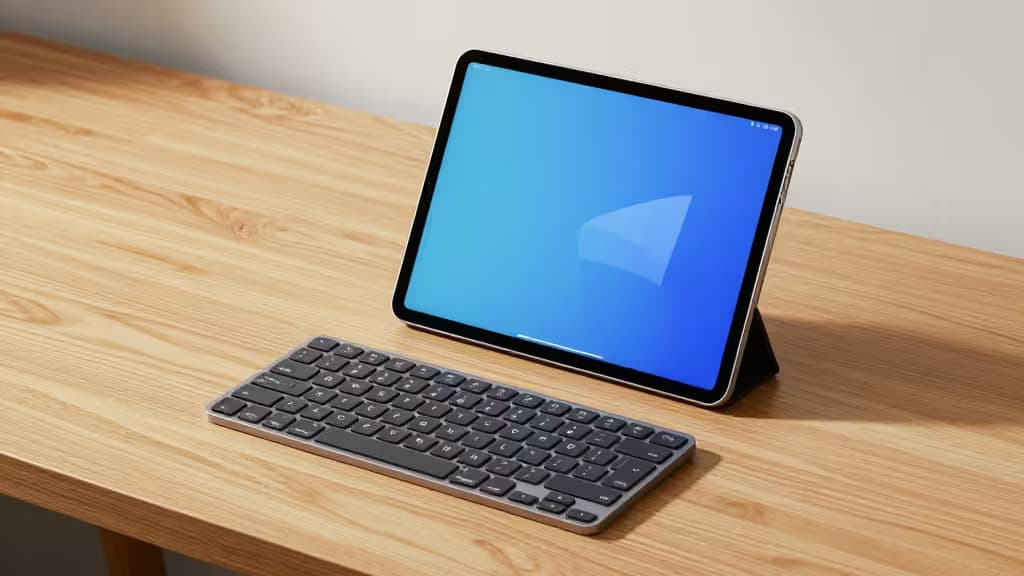
Android tablets have grown into genuine productivity machines — but the on-screen keyboard hasn't kept up. If you've ever tried to write a long email or edit a document with glass, you know the bottleneck. A sub-$50 Bluetooth keyboard can transform a tablet into a capable workstation for email, docs, and even light coding on the go.
The challenge is that true Bluetooth options under $50 are limited. Many of the best-value keyboards in this price band are wired mechanical boards — they offer superior typing feel per dollar but require a USB OTG adapter or a separate Bluetooth dongle. We've included both wireless and wired picks here, clearly noting which is which, so you can choose based on your priorities.
What matters for Android tablet use:
- Connectivity: Bluetooth is the gold standard for tablet pairing — no cables, no dongles. Wired boards work via USB OTG but add a cable to your bag.
- Portability: A slim, compact board slips into a tablet sleeve. Full-size boards with numpads are great at a desk but awkward on a train tray table.
- Battery life: Wireless boards need charging; look for weeks of use per charge, not days.
- Typing feel: Mechanical switches offer tactile satisfaction that membrane boards can't match, but low-profile designs are easier to travel with.
Disclosure: Recomate earns affiliate commissions on purchases made through links in this article. This doesn't influence our rankings — we test and recommend what we'd actually buy.
1. Keychron K3 Ultra-Slim — Best Overall
The Keychron K3 Ultra-Slim is the pick that best balances everything an Android tablet user needs. It's a 75% layout keyboard with a low-profile design, meaning it's compact enough to travel with but still includes arrow keys and a function row. Multi-device Bluetooth lets you pair it with your tablet, phone, and laptop, switching between them at the tap of a key. At its budget price point, it's one of the few boards in this range that offers true wireless connectivity with Android out of the box.1
The low-profile switches keep the board thin enough to slip into a tablet bag alongside your device. It's compatible with Mac, Windows, and Android, so it works just as well as a desktop companion when you're back at a desk. If you want one keyboard that does it all for your tablet — and stays useful beyond it — this is the one.
Why it's our top pick: It's the only board here that combines true Bluetooth, a compact travel-friendly form factor, and a budget price. The others trade wireless freedom for typing feel or full-size layouts.
2. Keychron C3 Pro — Best Budget Mechanical
If you're willing to sacrifice wireless for typing feel, the Keychron C3 Pro is hard to beat. It's a tenkeyless (TKL) mechanical keyboard in the $40–55 range with programmable QMK/VIA support, meaning you can remap keys and create custom layouts to suit your workflow.1
The tactile mechanical switches deliver a satisfying typing experience that membrane boards simply can't match. For Android tablet use, you'll need a USB OTG adapter to connect it — a minor inconvenience, but the typing quality may be worth it if you do long-form writing on your tablet. It's also a solid desktop keyboard, so it pulls double duty.
The trade-off: No Bluetooth. You're tethered via USB. But for raw typing satisfaction per dollar, this is the board to beat.
3. Redragon K552 Kumara — Best Value Mechanical
The Redragon K552 Kumara is the rugged workhorse of this lineup. At $40–50, it features a sturdy metal base, hot-swappable switches (meaning you can swap key switches without soldering), and a TKL layout.2 It's an excellent entry point for anyone curious about mechanical keyboards without committing to a premium price.
Like the C3 Pro, it's wired-only — you'll need USB OTG for tablet connectivity. But the metal construction gives it a weighty, premium feel that belies its budget price, and the hot-swappable switches mean you can customize the typing feel over time.
Who it's for: Budget-conscious buyers who want a tank-like mechanical board and don't mind a cable.
4. Keychron C2 Pro — Best Full-Size Budget
Most compact keyboards sacrifice the number pad. The Keychron C2 Pro doesn't. At $40–50, it offers a full-size layout with numpad and QMK/VIA programmability — features usually reserved for boards twice the price.1
For Android tablet users who work with spreadsheets, accounting software, or any task involving heavy numeric input, the numpad is a genuine productivity boost. The trade-off is size: this is not a board you'll toss in a slim tablet sleeve. It's a desk-first keyboard that happens to work with your tablet via USB OTG.
Who it's for: Productivity users who need a number pad and do their tablet work at a desk rather than on the move.
5. 8BitDo Retro Mechanical Keyboard — Best for Multi-Device Users
The 8BitDo Retro Mechanical Keyboard stands out for its personality. It pairs a nostalgic retro aesthetic with modern features: hot-swappable switches, programmable macro buttons, and multi-platform connectivity that makes it versatile across your tablet, desktop, and other devices.3
The programmable macros are particularly useful for power users who want to automate repetitive keystrokes — handy for coding, content creation, or gaming. The retro design won't appeal to everyone, but if you appreciate the aesthetic and want a board that's as fun as it is functional, this is a distinctive pick.
Who it's for: Users who juggle multiple devices and want a keyboard with character and macro capability.
How They Compare
| Keyboard | Connectivity | Layout | Price | Portable? |
|---|
| Keychron K3 Ultra-Slim | Bluetooth (multi-device) | 75% low-profile | Budget | Yes — slim |
| Keychron C3 Pro | Wired (USB) | TKL | $40–55 | Moderate |
| Redragon K552 Kumara | Wired (USB) | TKL | $40–50 | Moderate — metal base |
The honest reality: if you want true Bluetooth under $50, the Keychron K3 Ultra-Slim is the clear winner. The wired mechanical boards — the C3 Pro, K552, and C2 Pro — offer better typing feel and build quality per dollar, but they require a USB OTG adapter and add a cable to your setup. The 8BitDo splits the difference with multi-platform connectivity and a unique aesthetic.
If portability is your top priority, go K3. If typing feel matters most and you don't mind a cable, go C3 Pro or K552. If you need a numpad, go C2 Pro. And if you want something that stands out while handling multiple devices, the 8BitDo is a fun, capable choice.