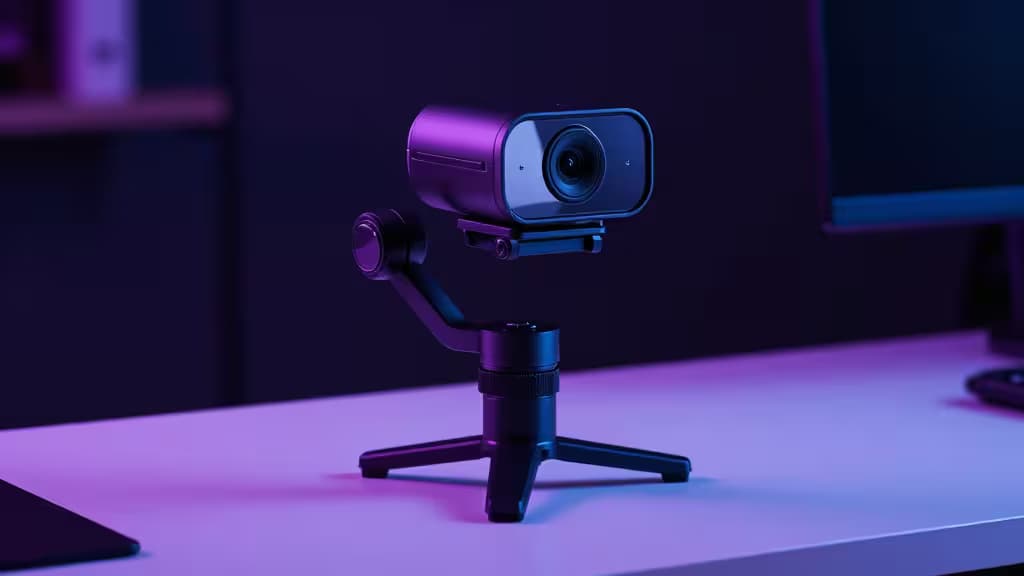
Two years ago, if you wanted a webcam that could track your movements, auto-frame your shot, and respond to hand gestures, you were looking at $300 or more. That's changed. The latest wave of AI webcams under $150 packs motorized gimbals, subject tracking, and real-time light correction — features that used to be the exclusive domain of premium models like the Insta360 Link 27 and Obsbot Tiny 22.
We focused on the AI capabilities that actually matter for streaming: auto-framing that keeps you centered without manual adjustment, subject tracking that follows you as you move, gesture control for hands-free operation, and light correction for inconsistent room lighting. Raw resolution matters, but a 4K sensor with no AI features is a missed opportunity for a solo streamer.
Here are the things actually worth buying if you're building or upgrading a streaming setup on a budget.
1. Obsbot Tiny SE — Best Budget AI Tracking
The Tiny SE is the webcam that made us reconsider what "budget" means. It pairs a 1080p sensor capable of 100fps with a motorized pan-tilt gimbal — the same mechanical tracking approach used by Obsbot's premium Tiny 22 — at a fraction of the price. AI subject tracking locks onto you and follows your movement across the frame, while gesture control lets you start tracking, zoom, or recenter with a quick hand sign1.
For streamers who present standing up, move around a desk, or switch between sitting and standing positions, the motorized gimbal is genuinely transformative. You don't need a camera operator or a fixed wide shot — the camera comes to you.
The 1080p resolution won't match a 4K sensor for pixel-level detail, but at typical streaming bitrates and viewer screen sizes, the difference is negligible. What you lose in resolution, you gain in the kind of active tracking that no software-only auto-framing can replicate.
Verdict: If AI tracking is your top priority and you want to stay well under $150, this is the pick.
2. Obsbot Meet 2 — Best 4K AI Webcam Under $150
The Meet 2 takes a different approach: instead of a motorized gimbal, it relies on a 1/2-inch sensor and AI-powered digital tracking to keep you framed1. The larger sensor delivers noticeably better image quality than the Tiny SE, with cleaner low-light performance and more dynamic range — critical if you stream in a dimly lit room with bias lighting.
At 4K resolution, the Meet 2 gives you room to crop digitally in post or during a stream without visible quality loss. The ultra-compact magnetic mount means you can attach it to a monitor or tripod in seconds, and the small footprint won't dominate your desk setup.
The trade-off versus the Tiny SE is that digital tracking can't physically pan and tilt — if you move far outside the frame, the camera can't follow you the way a gimbal can. But for seated streamers who stay roughly in one spot, the image quality advantage is worth it.
Verdict: The best image quality in this price range, with enough AI smarts to keep you framed.
3. Dell Pro Webcam (WB5023) — Best 2K Value
Dell's WB5023 sits in the sweet spot between 1080p and 4K, offering 2K QHD at 30fps or 1080p at 60fps with HDR support3. The HDR is the standout feature — it handles mixed lighting (bright window, dark corner) far better than most webcams in this range, producing a balanced image without blown highlights or crushed shadows.
AI auto-framing is present but more conservative than Obsbot's implementation. It adjusts the crop to keep you centered rather than actively tracking movement across a wide area. For streamers who want a clean, well-exposed image with minimal fuss — and who don't need aggressive tracking — this is a strong middle ground.
The 2K resolution also gives you a slight digital crop buffer over 1080p without the processing overhead of 4K, which matters if you're streaming on a system that's also running OBS, chat, and browser sources.
Verdict: The pragmatic choice — great HDR, solid resolution, and just enough AI to be useful.
4. AnkerWork C310 — Best 4K Budget Alternative
If the Obsbot Meet 2 is out of stock or you prefer Anker's ecosystem, the C310 is a capable 4K alternative. It offers 4K resolution with an adjustable field of view, 1080p at 60fps for smoother motion, and a built-in privacy shield5. The adjustable FOV is a nice touch — you can narrow it to cut out background clutter or widen it for a two-person stream.
The C310 doesn't have the motorized gimbal of the Tiny SE or the large sensor of the Meet 2, but it covers the fundamentals well. Light correction is handled automatically, and the privacy shield is a thoughtful inclusion for a camera that might live on a shared desk.
Verdict: A reliable 4K backup pick with practical features that streamers actually use.
5. Logitech StreamCam — Best for Multi-Platform Creators
The StreamCam is the least AI-heavy camera in this lineup, but it earns its place through sheer workflow intelligence. It shoots 1080p at 60fps and — uniquely among these picks — supports vertical orientation for TikTok, Reels, and Shorts without re-cropping in software6. If you stream to both horizontal and vertical platforms, that alone could justify the purchase.
Logitech's Capture software integrates cleanly with popular streaming tools, and the USB-C connection keeps things modern. There's no motorized gimbal or gesture control, but the auto-exposure and auto-framing are competent for a fixed-position setup.
Verdict: Not the most AI-forward pick, but the best choice for creators who need to produce for multiple aspect ratios.
How We Compared Them
| Feature | Tiny SE | Meet 2 | Dell WB5023 | AnkerWork C310 | StreamCam |
|---|
| Resolution | 1080p/100fps | 4K | 2K/30fps | 4K | 1080p/60fps |
| AI Features | Gimbal tracking, gestures | AI tracking | Auto-framing, HDR | Auto light correction | Auto-framing |
| Mount Type | Motorized gimbal |
Stretch Pick: Insta360 Link 2
If your budget can stretch beyond $150, the Insta360 Link 2 is worth a look. It combines a 4K sensor with a 3-axis gimbal, movement tracking, gesture control, a DeskView mode for top-down shots, and a 1/2-inch sensor — essentially the best of the Tiny SE's tracking and the Meet 2's image quality in one package7. It's a premium option, but if you stream professionally and can justify the investment, it's the most complete AI webcam on the market.
Recomate may earn a commission when you purchase through links on this page. This does not influence our rankings — we recommend products based on testing and research, not affiliate payouts.