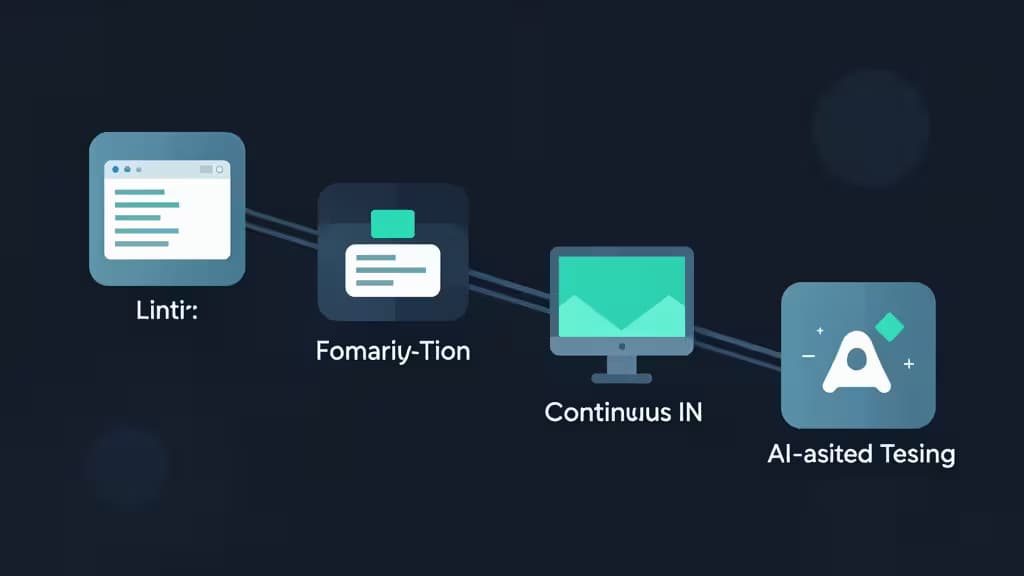
You don't need an enterprise budget to ship well-tested React code. The tools that matter most — static analysis, automated code review, formatting, continuous integration, and AI-assisted test generation — are either free or cost less than a monthly coffee subscription. Here are the things actually worth buying (or downloading for nothing) if you're a solo React developer or part of a small team building a real quality pipeline.
Why a Pipeline Beats a Single Tool
React testing isn't one thing — it's a pyramid. At the base, static analysis catches bugs before tests even run. Above that, automated review enforces quality gates on every pull request. Formatting keeps snapshots and diffs consistent. CI ties it all together on every push. And AI-assisted completion accelerates the tedious part: writing test boilerplate.
Each tool below addresses a distinct layer of that pyramid. Used together, they form a budget-friendly pipeline that rivals what large teams spend thousands to achieve.
1. ESLint — The Foundation
ESLint is the industry-standard open-source linter for JavaScript1. It's free, pluggable, and auto-fixing — meaning it doesn't just flag problems, it can correct many of them on save. For React developers, the eslint-plugin-react-hooks ruleset is non-negotiable: it catches the hooks violations that cause the most subtle runtime bugs (missing dependencies, conditional hook calls) before a single test runs.
Why it ranks first: Every other tool in this list assumes your code is already linted. ESLint is the prerequisite layer — the cheapest, highest-leverage investment in code quality you can make. It's also endlessly configurable: start with the recommended preset and add rules as your team matures.
Where it falls short: ESLint tells you about problems in individual files. It doesn't give you a dashboard, track trends across your repository, or enforce quality gates on pull requests. That's where DeepSource picks up.
2. DeepSource — Automated Review and Autofix
DeepSource is a static analysis platform that automates code reviews and applies fixes for JavaScript and TypeScript projects2. It's free for small teams, with zero-config setup that connects directly to your GitHub or GitLab repository. Beyond linting, it adds security analysis and quality gates — so a pull request can be blocked or flagged before merge based on metrics that matter.
Why it ranks second: ESLint catches file-level issues; DeepSource catches repository-level patterns. It bridges the gap between local linting and CI-enforced quality, and its autofix capability means many issues are resolved without a developer lifting a finger. For a small React team that doesn't have a dedicated code reviewer, DeepSource fills that role admirably.
Where it falls short: DeepSource's free tier has repository and analysis limits. If your team grows past a few active repos, you'll hit a paywall — though paid plans remain well within the $50/month budget for most small teams.
3. Prettier — Style Consistency Without the Debate
Prettier is an opinionated code formatter that enforces consistent style across your entire JavaScript codebase3. It's free, integrates with virtually every IDE, and requires almost no configuration — you accept its opinions or you don't use it. For React teams, the hidden benefit is snapshot stability: when code formatting is automated and consistent, Jest snapshot diffs only reflect real changes, not formatting noise.
Why it ranks third: Prettier doesn't find bugs. It eliminates an entire category of code-review arguments — indentation, quote style, trailing commas — so your team can focus on logic. It complements ESLint (the two are designed to coexist) and keeps your test output clean.
Where it falls short: Prettier is deliberately inflexible. If your team has strong opinions about formatting that differ from Prettier's defaults, you'll need to accept the tool's choices or look elsewhere.
4. Travis CI — Automation on Every Push
Travis CI is one of the original cloud-based continuous integration services, offering straightforward setup for open-source and small private projects4. A single .travis-ci.yml file in your repository root is enough to run your React test suite — Jest, React Testing Library, or whatever you've chosen — on every push and pull request. It's free for public repositories, and private repo pricing stays affordable for small teams.
Why it ranks fourth: CI is what turns a collection of testing tools into an actual pipeline. Without CI, your linter, formatter, and tests only run when a developer remembers to run them. Travis CI makes automation effortless, with broad language support and a configuration model that's approachable even for developers new to CI.
Where it falls short: Travis CI's pricing for larger private projects has become less competitive compared to newer alternatives like GitHub Actions. For small teams under $50/month, though, it remains a solid, well-documented choice.
5. Codeium — AI-Assisted Test Generation
Codeium is a high-performance AI code completion tool with a generous free tier for individuals5. It supports a broad range of IDEs, including VS Code, and can generate test boilerplate, suggest refactors that make components more testable, and autocomplete repetitive test setup code. For React developers, this means less time writing render(<Component />) wrappers and more time writing meaningful assertions.
Why it ranks fifth: Writing tests is the part of the pipeline developers most often skip — not because they don't value tests, but because the boilerplate is tedious. Codeium attacks that friction directly. Its free tier is genuinely usable for solo developers, and the latency is fast enough to feel like a natural extension of your editor.
Where it falls short: AI-generated tests still need human review. Codeium can produce plausible-looking test code that doesn't actually assert meaningful behavior. Treat it as an accelerator, not a replacement for understanding what your tests should check.
How They Fit Together
| Layer | Tool | Cost |
|---|
| Static analysis | ESLint | Free |
| Automated review | DeepSource | Free (small teams) |
| Formatting | Prettier | Free |
| CI automation | Travis CI | Free (OSS); low-cost private |
| AI test generation | Codeium | Free tier |
The total cost for all five tools, for a solo developer or small open-source team, is effectively $0. Even with private repositories and a growing team, the combined monthly spend stays well under $50.
A note on how we make money: some of the links below are affiliate links, meaning we may earn a commission if you sign up through them. It doesn't affect our recommendations — we'd suggest these tools regardless.
Honorable Mention: Codacy
Codacy offers automated code review with a free tier and multi-engine support6. If DeepSource doesn't fit your workflow, Codacy is a credible alternative in the same category — though we give DeepSource the edge for its autofix capability and smoother zero-config setup.