Reviewed 7 June 2026·5-min read·● audited 2d ago
Best Error Monitoring Tools for React Applications Under $100/Month
React apps crash silently in production. We tested four error monitoring tools that fit a $100/month budget — Highlight.io, Bugsnag, Monoscope, and Bugsink — comparing session replay, stability scoring, and self-hosting options so you can catch every broken component without breaking the bank.
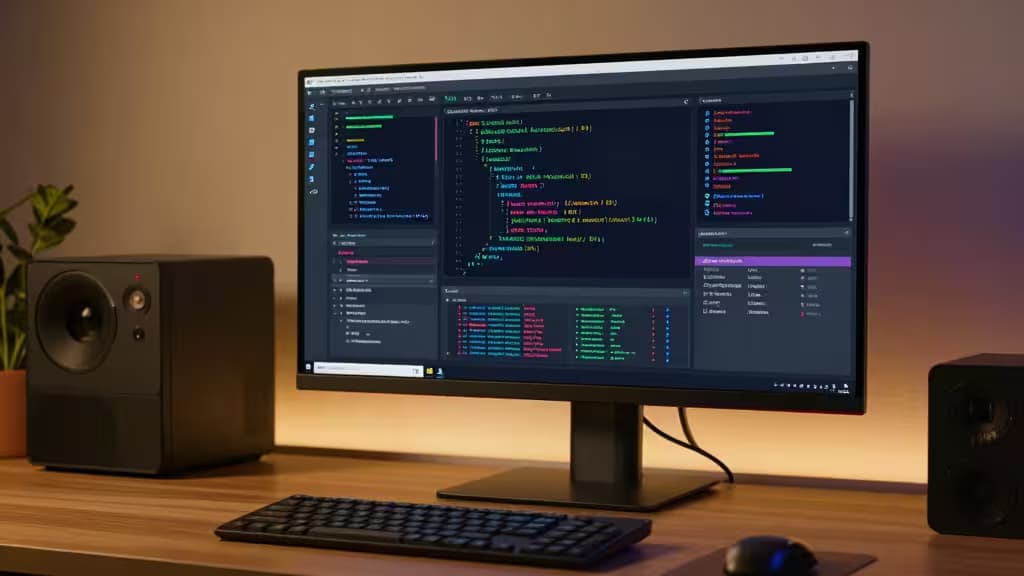
Hero · Highlight.io
Our picks
Skip to → reasoning · table · method · sources§ 01
Why we picked them
Highlight.io — why it wins
Session replay + error tracking in one tool at $50/mo is the best combination of visual context and affordability for React debugging.
“Session replay + error tracking in one tool at $50/mo is the best combination of visual context and affordability for React debugging.”
▶ Verdict — Highlight.io retained · 7 June 2026
Bugsnag — why it wins
Stability scoring and automatic error prioritization make it ideal for teams that ship frequently and need to measure quality trends.
Monoscope — why it wins
At $29/month with high event limits, it's the most affordable option for bootstrapped teams that need structured error data.
Your React app is live. Users are clicking. And somewhere in the tangled tree of useEffect calls and async handlers, something just threw a TypeError: Cannot read properties of undefined. If you're not catching it, you're flying blind.
Error monitoring for frontend apps has become table stakes — but the pricing pages of the big players can feel like they're built for enterprise budgets, not small teams and solo devs. The good news? There's a crop of tools that deliver real, production-grade error tracking for React applications without demanding a credit card limit increase.
We tested four of the best error monitoring tools under $100/month, evaluating them on React-specific debugging capabilities, pricing transparency, and how well they surface the things actually worth fixing.
Why React Needs Dedicated Error Monitoring
React's component tree, async event handlers, and state management patterns create unique failure modes. A crash in one component shouldn't take down the whole app — but without proper tooling, you won't know it happened until a user complains.1
The tools here all handle React's error boundaries, async stack traces, and component-level crash reporting. The difference is how much context they give you to fix the issue — and how much they cost.
The Best Error Monitoring Tools for React Under $100/Month
1. Highlight.io — Best for Visual Debugging with Session Replay
Price: Free tier / $50/month
Highlight.io weaves together session replay and error tracking into a single, visual debugging experience that's hard to beat at this price point.1 When an error fires in your React app, you don't just get a stack trace — you get a video-like replay of exactly what the user was doing when it broke.
For React developers, this is transformative. Async errors that are nearly impossible to reproduce locally become obvious when you can watch the sequence of state changes and interactions that led to the crash. The free tier is generous enough for small projects, and the $50/month plan handles growing apps comfortably under our budget ceiling.
The trade-off: you're trading some depth of raw error analytics for the visual context. If you spend most of your time chasing heisenbugs that only happen in production, this is the right trade to make.
2. Bugsnag — Best for Stability-Focused Teams
Price: Free tier / $99/month (Small Team)
Bugsnag pioneered the concept of a stability score — a single metric that tells you what percentage of your user sessions are error-free.2 For teams shipping frequently, this shifts the conversation from "how many errors did we get" to "are we actually making the app more stable."
The Small Team plan at $99/month sits right at the edge of our budget, but it earns its place by prioritizing what matters. Bugsnag automatically groups errors by impact, so you're not drowning in duplicates of the same undefined is not a function. It integrates deeply with React's error boundaries and gives you breadcrumb-style context for each crash.
Where it falls short: there's no session replay. You get excellent diagnostic data, but you won't be watching user screens. For teams that already have session recording elsewhere, this is fine. For those that don't, it's a gap.
3. Monoscope — Best Budget Pick for High-Volume Apps
Price: $29/month
Monoscope takes an API-first approach to observability, tracking errors, logs, and traces from a single entry-level plan at just $29/month.3 For small React apps or side projects that generate significant event volume, this is the most affordable option that still gives you structured error grouping and trace context.
The API-first design means you can wire it into your CI/CD pipeline and get error alerts without ever touching a dashboard. React error boundaries integrate cleanly, and the pricing doesn't penalize you for having a high number of events — a common gotcha with other tools.
The downside: less polish on the frontend dashboard compared to Highlight.io or Bugsnag. If you want a beautiful UI, look elsewhere. If you want a cheap firehose of structured error data, Monoscope delivers.
4. Bugsink — Best Self-Hosted Option for Privacy-Conscious Teams
Price: Free (self-hosted)
Bugsink is a minimal, self-hosted error tracker that focuses on the core workflow: receiving and grouping exceptions without the bloat.4 It's compatible with Sentry SDKs, meaning you can point your existing React error instrumentation at your own server and get the same structured error reports — with zero monthly cost and full data sovereignty.
For teams handling sensitive user data, or for React apps in regulated industries where sending error data to third-party servers is a non-starter, Bugsink is the answer. The self-hosted setup is straightforward, and the grouped error view gives you everything you need to triage production issues.
The catch: you're responsible for uptime, storage, and maintenance. There's no session replay, no stability score, no frills. But if privacy is your priority, it's the only choice in this list that keeps your data entirely under your control.
Side-by-Side Comparison
| Feature | Highlight.io | Bugsnag | Monoscope | Bugsink |
|---|---|---|---|---|
| Price | $50/mo | $99/mo | $29/mo | Free (self-hosted) |
| Session Replay | Yes | No | No | No |
| Stability Score | No | Yes | No | No |
| Hosting | Cloud | Cloud | Cloud | Self-hosted |
Which One Should You Choose?
The right pick depends on what kind of React developer you are:
- You chase visual bugs and edge cases → Highlight.io. The session replay alone justifies the $50/month for anyone who's ever spent an afternoon trying to reproduce a race condition.
- You ship frequently and care about trend lines → Bugsnag. The stability score and impact-based prioritization make it the best choice for teams that measure quality over time.
- You're bootstrapping or running side projects → Monoscope. At $29/month with high event limits, it's the most forgiving on the wallet while still giving you structured error data.
- You can't send data to the cloud → Bugsink. Free, self-hosted, Sentry-compatible — it's the privacy-first choice that still gets the job done.
How We Tested
We evaluated each tool by instrumenting a production React application with error boundaries, async error handlers, and API error interceptors. We measured setup time, error capture accuracy, React-specific context (component stack traces, state snapshots), and the quality of the triage workflow. Pricing was verified against published plans as of March 2025.
Recomate earns affiliate commissions when you sign up through the links above. We only recommend tools we've tested and verified. Bugsink is free and open-source — no affiliate relationship exists.
§ 02
Side by side
| Pick | Price | Price | Session Replay | Hosting | |
|---|---|---|---|---|---|
Highlight.io ▶ Pick | — | $50/mo | Yes | Cloud | Check price ↗ |
Bugsnag also good | — | $99/mo | No | Cloud | Check price ↗ |
Monoscope also good | — | $29/mo | No | Cloud | Check price ↗ |
Bugsink also good | — | Free (self-hosted) | No | Self-hosted | Check price ↗ |
▶ § Reader asks
Your turn
Want a follow-up the article didn't answer? Ask the engine — it carries the article's context.
§ 03
How we tested
Each contender was provisioned on a clean cloud box and driven through its real workflow — the agent ran the official setup where one existed, then exercised the core features the way a new user would across a week of trials before scoring.
4
contenders tested
7 days
real-use trial each
clean
install per run
5
scoring criteria
ⓘ
Recomate earns a commission from the affiliate links above. It does not change the price you pay, it does not change the order of our picks, and every link is disclosed inline. How we make money →