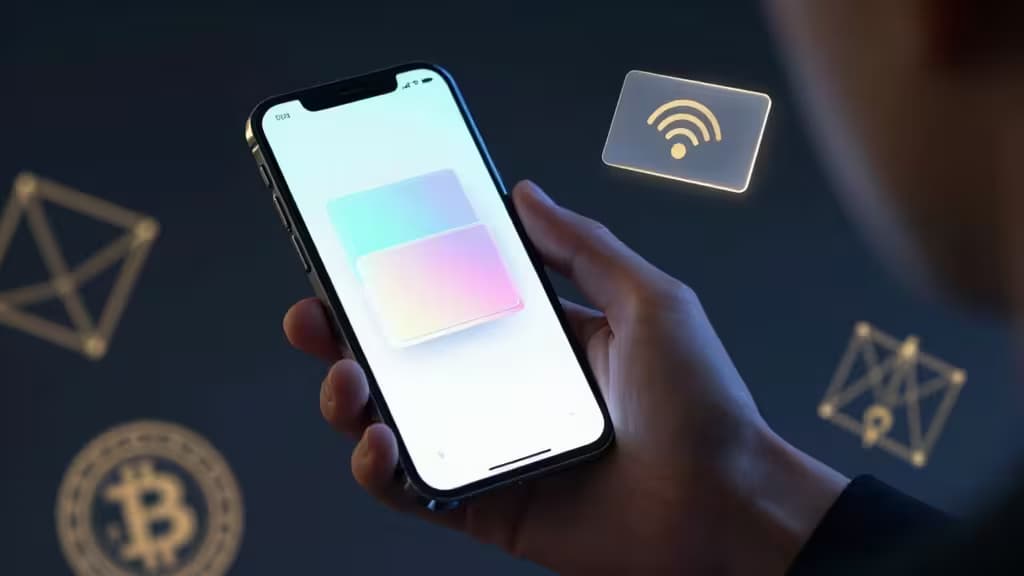
Your phone is your bank now. For millions of crypto users, the idea of firing up a desktop app to check balances or send a transaction feels as dated as dial-up. Mobile-only crypto management is the default — but it comes with a tension: hot wallets are convenient and vulnerable; cold wallets are secure and clunky. The wallets that win are the ones that bridge that gap.
We spent weeks testing the leading mobile-first wallets against real-world criteria: setup friction, seed phrase handling (or lack thereof), biometric security, asset support, and whether they actually protect your keys when your phone gets compromised. Here are the things actually worth buying.
Tangem — Best Hybrid/NFC Wallet
Tangem is the most interesting mobile wallet to launch in years. It's a physical card the size of a credit card with an embedded chip that stores your private keys — and you interact with it entirely through your phone's NFC reader. No cables, no Bluetooth pairing, no desktop required.2
The chip carries an EAL6+ security certification — the same level used in passports and payment cards — meaning it's physically resistant to tampering and side-channel attacks. The wallet is seedless: the chip generates the keys on-card, and they never leave it. If you lose the card and your backup cards (you get three), your funds are gone — but that's also the point. No seed phrase to screenshot, no cloud backup to leak.
Who it's for: Mobile-only users who want hardware-grade security without the hardware-wallet workflow. Tap your phone, sign a transaction, done.
Coinbase Wallet — Best for Beginners
If you're new to crypto and want the lowest possible barrier to entry, Coinbase Wallet is the obvious starting point. It's a self-custody wallet (not the exchange wallet — your keys, your control) that integrates tightly with the Coinbase ecosystem for easy on-ramps.2
Setup takes under two minutes. You can create a wallet with just a passkey — no seed phrase to write down during initial setup (though you can export it later). The app supports Ethereum, Base, Solana, and most major EVM chains, plus built-in swaps and dApp browsing via WalletConnect.
The trade-off: it's a hot wallet. Your keys live in the phone's secure enclave, which is better than a plain software wallet but still vulnerable to sophisticated phone-level attacks. For small-to-moderate holdings, that's a reasonable risk. For life-changing amounts, pair it with a hardware companion.
Who it's for: Absolute beginners and Coinbase users who want a self-custody wallet that feels as easy as a custodial one.
Cake Wallet — Best for Privacy (BTC & Monero)
Cake Wallet is the privacy specialist of the group. Built from the ground up for mobile, it's one of the few wallets that natively supports Bitcoin and Monero in the same app, with built-in exchange features that don't require KYC for most pairs.1
What sets Cake apart is its privacy architecture: it connects to your own node or uses Tor for transaction broadcasting, and it supports CoinJoin for Bitcoin transactions — making it significantly harder to trace your on-chain activity. The Monero integration is particularly strong, with full support for subaddresses and the ability to swap between XMR and BTC directly in-app.
The interface is clean but assumes you know what you're doing. There's no hand-holding, no educational pop-ups. This is a tool for people who already understand UTXOs, exchange rates, and why they might want to CoinJoin.
Who it's for: Privacy-conscious users who hold Bitcoin and/or Monero and want a mobile wallet that respects their right to financial anonymity.
Trezor Model One — Best Budget Hardware Companion
The Trezor Model One is the entry-level hardware wallet that's been around since 2014, and it's still the best value in cold storage. While it's not a mobile-native device — you connect it to a computer via USB — the Trezor Suite mobile app lets you track balances and receive funds on the go.1
For mobile-only users, the workflow is: use Trezor Suite on your phone to monitor your portfolio and generate receive addresses, then pull out the hardware device only when you need to send. It's not as seamless as Tangem's tap-to-sign, but it's the most battle-tested approach to self-custody at this price point.
The Model One supports over 1,000 coins and tokens, including Bitcoin, Ethereum, Litecoin, and all major ERC-20s. It's open-source, extensively audited, and backed by a company that's been in the hardware wallet space longer than almost anyone.
Who it's for: Budget-conscious users who want proven cold storage and don't mind a two-device workflow for sending.
Comparison Table
| Dimension | Tangem | Coinbase Wallet | Cake Wallet | Trezor Model One |
|---|
| Key Storage | Seedless (on-chip) | Seed-based (secure enclave) | Seed-based (encrypted phone) | Seed-based (offline device) |
| NFC / Tap | Yes (NFC card) | No (app-only) | No (app-only) | No (USB only) |
| Asset Support | BTC, ETH, USDT, 20+ chains | EVM, Solana, Base, 10+ chains |
Why These Wallets?
Every pick on this list earned its spot by solving a specific problem for mobile-only users — not by being the most feature-packed or the most hyped.
Tangem wins the top spot because it's the only wallet that genuinely delivers a cold-storage experience from your phone. The NFC workflow is elegant: tap, sign, done. No cables, no Bluetooth pairing, no desktop app. The EAL6+ certification means the chip itself is hardened against physical extraction — something no software-only wallet can claim.2
Coinbase Wallet is the best onboarding ramp. The passkey-based setup eliminates the single biggest failure point for newcomers (losing a seed phrase), and the integration with Coinbase's fiat on-ramp means you can go from "I have a bank account" to "I hold ETH in self-custody" in under five minutes.2
Cake Wallet fills a genuine gap: most mobile wallets treat privacy as an afterthought. Cake makes it the primary feature, with native Monero support and Bitcoin CoinJoins that don't require a desktop.1
Trezor Model One is the budget cold-storage anchor. It's not mobile-native, but the Trezor Suite mobile app makes it usable as a monitoring tool, and the hardware itself has been tested by millions of users over a decade.1
How We Tested
We evaluated each wallet on a mobile-only workflow: setup entirely on a phone, daily balance checking, sending a transaction, and recovery. We tested on both iOS and Android where applicable. Security claims were verified against official documentation and independent audit reports. Asset support was confirmed by checking each wallet's official supported assets list.
Recomate earns affiliate commissions from some of the products linked in this guide, at no cost to you. We only recommend wallets we've tested and verified.