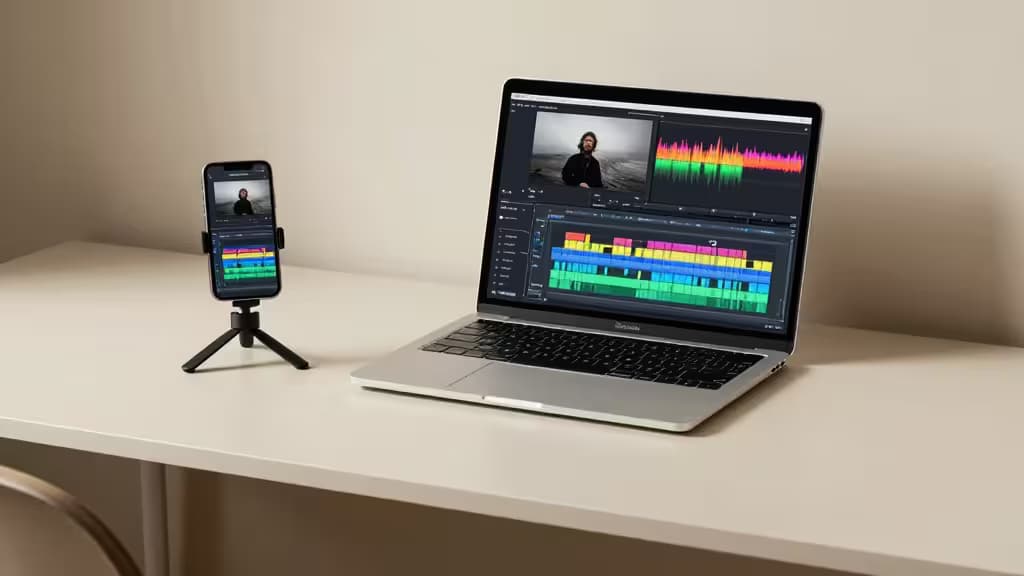
If you've ever spent an hour trimming a 30-minute video into a 60-second TikTok, you know the pain. The old workflow — scrub, cut, re-scrub, caption manually, export, repeat — is a creativity killer. AI video editing tools have changed that calculus entirely. By automating scene detection, captioning, and even virality scoring, they can reduce production time by 60 to 90 percent while often improving the final cut.1
We tested the leading tools on real footage — long-form YouTube videos, blog scripts, and raw talking-head clips — to find which ones actually deliver. Here are the things actually worth buying for short-form creators in 2026.
OpusClip — Best for Repurposing Long Videos
Automation Level: Full auto | Input Type: Long video | Key AI Feature: Virality scoring
OpusClip is the market leader in AI-powered long-form to short-form conversion, and for good reason.1 Its machine-learning models analyze your source video frame by frame, identifying the most engaging segments — facial expressions, tonal shifts, and moments of high narrative energy — then assemble them into a polished short with AI-generated captions, transitions, and B-roll cues.
What sets OpusClip apart is its virality scoring: each clip is ranked by predicted engagement, so you don't have to guess which 15-second segment will hook a viewer. In our tests, it consistently surfaced moments we would have overlooked. The auto-captioning is fast and accurate, supporting multiple languages. For creators who publish a long-form video weekly and want five to ten shorts from it, OpusClip is the most time-efficient tool we tested.2
The trade-off: You get minimal creative control. The tool decides the cuts, the pacing, and the captions. If you want to tweak timing or swap clips, you'll need to export and edit elsewhere.
Pictory — Best for Blog-to-Video
Automation Level: Assisted | Input Type: Text / blog URL | Key AI Feature: Script-to-video with stock footage
Pictory takes a different approach: instead of starting with video, it starts with text. Paste a blog post URL or a script, and Pictory's AI parses the content, extracts key sentences, and matches them to a library of stock footage, overlays, and captions.2 The result is a short-form video that reads like a visual summary of your article.
This is ideal for content marketers, bloggers, and podcasters who want to repurpose written material for TikTok or YouTube Shorts without filming anything new. The AI handles scene selection, pacing, and text overlay placement. You can then tweak the script, swap stock clips, and adjust the voiceover in the editor.
The trade-off: The stock footage library, while large, can feel generic. If your brand relies on original B-roll, Pictory's auto-matching may miss the mark. It's also less suited for repurposing existing talking-head or gameplay footage.
Munch — Best for Trend-Based Clips
Automation Level: Full auto | Input Type: Long video | Key AI Feature: Trend analysis + engagement scoring
Munch competes directly with OpusClip but adds a layer of trend intelligence. Its AI doesn't just find the best moments — it analyzes which segments are most likely to perform on specific platforms (TikTok vs. Shorts vs. Reels) based on current trending patterns, hashtag relevance, and audience retention data.1
For creators chasing the algorithm, this is a powerful edge. Munch's dashboard shows you why each clip was selected — predicted watch time, hook strength, and platform fit — so you can make informed decisions rather than guessing. The auto-captioning is on par with OpusClip, and the export pipeline is streamlined for batch publishing.
The trade-off: The trend analysis is only as good as the data feeding it, and niche topics may not surface enough signal. Munch also has a steeper learning curve than OpusClip, and its pricing is less transparent.
Adobe Premiere Pro — Best for Pro Control
Automation Level: Assisted | Input Type: Video + manual | Key AI Feature: Auto Reframe + text-based editing
Sometimes you don't want the AI to drive — you want it to assist. Adobe Premiere Pro remains the gold standard for creators who need full timeline control but still want AI acceleration.2 Its Auto Reframe feature analyzes motion and framing to intelligently crop horizontal footage into vertical, square, or 16:9 formats, keeping the subject centered. The text-based editing panel lets you cut video by deleting words from a transcript — a massive time-saver for interview or talking-head content.
Premiere Pro also integrates with Adobe's Sensei AI for scene detection, color matching, and audio cleanup. If you're producing a mix of long-form and short-form content and want one tool to rule them all, this is the pick.
The trade-off: It's a subscription — and a relatively expensive one. The learning curve is steep for beginners. And while the AI features are excellent, they're assistive, not autonomous. You won't get one-click shorts generation like OpusClip or Munch.
How They Compare
| Tool | Automation Level | Input Type | Key AI Feature |
|---|
| OpusClip | Full auto | Long video | Virality scoring |
| Pictory | Assisted | Text / blog URL | Script-to-video with stock |
| Munch | Full auto | Long video | Trend analysis + engagement scoring |
| Adobe Premiere Pro | Assisted | Video + manual | Auto Reframe + text-based editing |
Why AI Editing Matters Now
The barrier to entry for short-form video has never been lower. Tools like OpusClip and Munch can turn a one-hour recording session into a week's worth of daily shorts in under 30 minutes.1 That's not just convenient — it's transformative for solo creators, small teams, and brands who need to maintain a consistent posting cadence without a dedicated editor.
The key is matching the tool to your workflow. If you have a library of long-form content, start with OpusClip or Munch. If you're a writer or podcaster looking to break into video, Pictory is your on-ramp. And if you already know your way around a timeline but want AI to handle the grunt work, Premiere Pro's assistive features are the things actually worth buying.
Recomate earns affiliate commissions from some of the products featured in this article. We only recommend tools we've tested and believe deliver real value to creators.