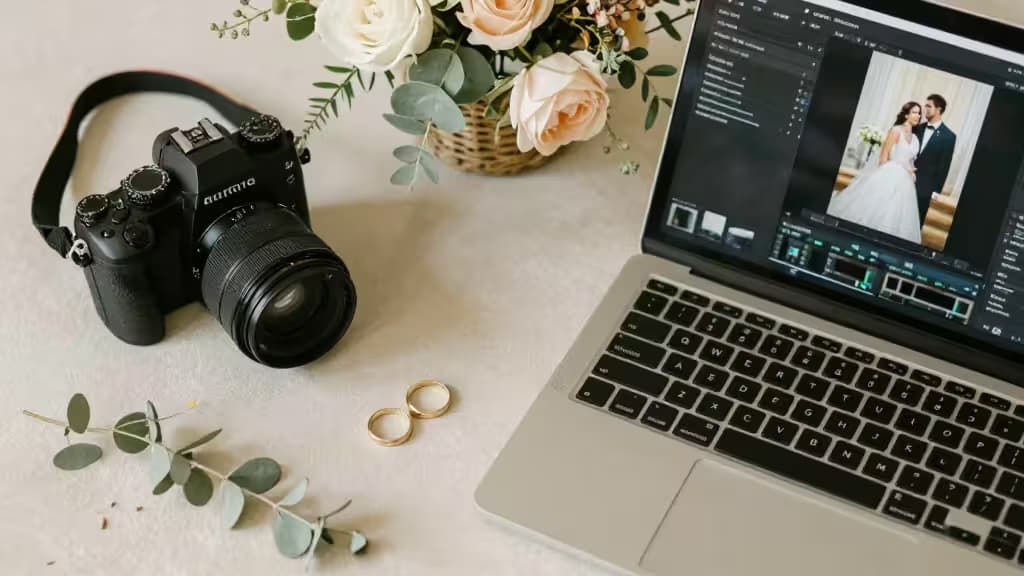
Wedding photographers don't just shoot weddings. They edit thousands of images, build highlight reels, license music, design albums, write proposals, and run marketing campaigns — often all before the next weekend's event. AI tools have quietly become the things actually worth buying for working photographers, not because they replace the craft, but because they compress hours of repetitive post-production into minutes.
This guide covers five AI tools that map directly onto the wedding photography workflow: detail-shot editing, creative concepting, video highlights, music licensing, and client-facing design. Each solves a specific bottleneck, and together they span the full pipeline from pre-wedding mood boards to final album delivery.
1. Photoroom — Background Removal & Batch Editing for Detail Shots
Every wedding includes the detail shots: rings on the invitation, the bouquet, the shoes, the table settings. These images demand clean, consistent backgrounds — and that's exactly where Photoroom excels. Its instant background removal and batch editing capabilities let you process an entire set of ring and floral shots in a single pass, swapping in studio-quality backgrounds without manual masking.1
For photographers who shoot on location and need to deliver polished detail galleries quickly, the mobile app is a genuine differentiator. You can shoot, edit, and export from your phone between events. The web app handles larger batch workflows when you're back at your desk.
Where it fits: Post-shoot editing, specifically detail and product-style imagery.
Honest take: Photoroom won't replace your Lightroom or Capture One workflow for full portrait edits. But for the 50–100 detail shots that need clean backgrounds, it's dramatically faster than manual masking — and the results are consistently professional.
2. Leonardo.ai — AI Image Generation for Mood Boards & Concepts
Before the wedding, photographers often create mood boards, save-the-date concepts, and stylized reference images to align with clients on creative direction. Leonardo.ai brings Stable Diffusion-grade generation into a user-friendly web interface with asset management, a canvas editor, and — critically for working photographers — custom model training.2
Custom model training means you can fine-tune the AI on your own portfolio or a specific aesthetic, then generate concept images that match your visual language. For photographers who want to pitch a stylized look before the shoot, this is a genuine pre-production tool — not a novelty.
Where it fits: Pre-wedding concepting, mood boards, and artistic stylization.
Honest take: Leonardo won't replace the actual photography, and you should be transparent with clients about what's generated vs. captured. But for concepting and creative alignment, it's a serious platform with enough control to be useful — not just a toy.
3. OpusClip — Turning Wedding Video into Social-Ready Highlights
Many wedding photographers now offer video add-ons — ceremony coverage, reception highlights, first-dance clips. The problem isn't shooting the footage; it's editing hours of it into the short, vertical, captioned clips that perform on Instagram and TikTok. OpusClip automates that entire process.3
Drop in a long-form wedding video and OpusClip's AI curation identifies the most compelling moments, auto-reframes for vertical or square formats, and adds AI-generated captions. It even assigns a virality score to each clip so you can prioritize what to post first.
Where it fits: Post-wedding video delivery, especially for photographers offering social media packages.
Honest take: The AI curation isn't perfect — it sometimes picks moments that feel emotionally flat. But for a photographer who needs to deliver 10–15 short clips from a 3-hour reception video, OpusClip cuts a multi-hour editing session down to a review-and-refine pass. That's a real time saver.
4. Soundraw — Royalty-Free AI Music for Highlight Reels
Every wedding highlight reel needs music, and licensing is a persistent headache. Popular tracks get flagged on social platforms; stock library tracks sound generic; and custom scoring is prohibitively expensive. Soundraw generates royalty-free music based on mood, with customizable length and tempo — no music theory knowledge required.4
You pick a mood, set the duration to match your reel, adjust the tempo, and fine-tune the song structure. The licensing model is designed for creators, which means you can use the music in client deliverables without worrying about takedowns or retroactive licensing fees.
Where it fits: Post-wedding audio, specifically for highlight reels and slideshows.
Honest take: Soundraw's music won't fool anyone into thinking they're hearing a bespoke composition. But for a 90-second wedding highlight reel, the mood-based generation produces tracks that are genuinely serviceable — and the royalty-free licensing removes a real operational risk.
5. Canva Magic Design — Album Layouts, Proposals & Marketing
The client-facing side of wedding photography — album design, proposal templates, pricing guides, social media graphics — is where many photographers lose entire evenings. Canva's Magic Design suite uses AI to generate full presentation drafts from a short text description, pulling from a massive asset library and supporting collaborative editing.5
For album layout specifically, Magic Design can generate multi-page draft layouts from a brief description of the wedding, which you then refine with your own images. For proposals and pricing guides, it produces polished, branded documents in minutes rather than hours. The collaborative editing features also let you share drafts with clients or second shooters for feedback.
Where it fits: Client delivery — album design, proposals, and marketing collateral.
Honest take: Canva's AI layouts are starting points, not finished products. You'll need to swap in your own photography and adjust spacing. But for photographers who dread the design side of the business, Magic Design turns a blank-canvas problem into an editing problem — and that's a meaningful shift.
How They Compare
| Tool | Workflow Stage | Ease of Adoption | Pricing |
|---|
| Photoroom | Post-shoot editing | Very easy | Free + paid plans |
| Leonardo.ai | Pre-wedding concepting | Moderate | Free + paid plans |
| OpusClip | Post-wedding video | Easy | Free + paid plans |
| Soundraw | Post-wedding audio | Very easy |
Each tool occupies a distinct stage of the wedding photography pipeline. Photoroom handles the detail-shot editing grind. Leonardo.ai powers pre-wedding creative concepting. OpusClip transforms raw video into social-ready clips. Soundraw solves the music licensing problem for highlight reels. Canva Magic Design streamlines the client-facing design work — albums, proposals, and marketing.
None of these tools replaces the photographer's eye or the relationships built with clients. What they do is remove the repetitive, time-consuming tasks that pile up between shoots — and for a working wedding photographer, that time is worth real money.
Disclosure: We may earn affiliate commissions from some of the tools linked above. Our recommendations are based on how each tool fits the wedding photography workflow, not on commission rates.