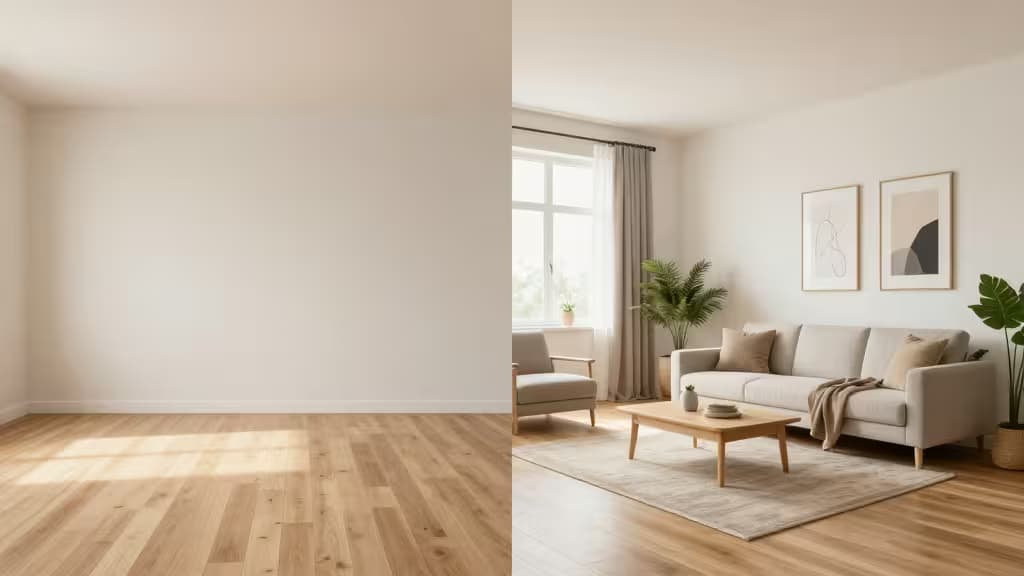
Why AI Virtual Staging Has Changed the Game
Physical staging a property can cost thousands of dollars and take days to arrange. AI visualization and virtual staging tools have collapsed that process to minutes: upload a photo of an empty or dated room, and the software generates a furnished, photorealistic version ready for a listing. No 3D modeling expertise, no furniture rentals, no waiting on a staging crew.
The category has matured quickly. What started as novelty "room redecorator" apps now includes purpose-built platforms for real-estate agents, architects, and professional stagers — each optimizing for a different point on the spectrum between speed and control. The best pick depends entirely on your workflow: an agent who needs to stage twenty listing photos before tomorrow's open house has very different requirements from an architect producing client-ready 4K renders.
We evaluated five tools that represent the full range — from one-click listing optimization to professional ray-traced output — and matched each to the user it serves best.
> How we make money: This article contains affiliate links. If you click through and sign up, we may earn a commission at no extra cost to you. Our recommendations are based on each tool's feature set and suitability for the use case described — not on commission rates.
The Picks at a Glance
| Tool | Best For | Standout Feature | Starting Price |
|---|
| Gepetto AI | Real-estate listings | One-click staging + video generation | Subscription |
| REimagineHome | All-round interior + exterior | Conversational design AI | From $25/mo |
| Decor8 AI | Budget / fast staging | Rapid realistic furniture placement | Affordable |
| Foyr Neo | Architects & pro stagers |
1. Gepetto AI — Best Overall for Real-Estate Listings
Gepetto AI is the broadest real-estate-focused suite we found. Its feature set reads like a checklist of everything an agent might need: one-click virtual staging, room clearing (removing existing furniture and clutter), sky transformation for exterior shots, floor and wall renovation, and even video generation1.
That breadth matters. Most staging tools handle furniture placement well but stop there. Gepetto covers the full listing-optimization pipeline — you can declutter a lived-in room, swap tired flooring, brighten a dreary exterior sky, and generate a short video walkthrough, all from the same dashboard1. For an agent managing multiple properties, that consolidation saves time and tab-switching.
The one-click approach trades some fine-grained control for speed. You won't be micro-adjusting the angle of a lampshade, but you also won't spend thirty minutes per photo. If your goal is getting listings live fast with professional-looking staging, that's the right trade-off.
Verdict: The most complete real-estate staging toolkit. Pick this if you're an agent who wants one platform for every listing-enhancement task.
2. REimagineHome — Best All-Rounder (Interior + Exterior)
Where Gepetto leans heavily toward agents, REimagineHome casts a wider net. It handles interior virtual staging, exterior redesigns, and property decluttering — and adds a conversational design AI that lets you refine results through natural-language prompts2.
That conversational layer is the differentiator. Instead of picking from preset style packs and hoping for the best, you can describe what you want — "make this living room feel like a Scandinavian loft with warm wood tones" — and the AI adjusts accordingly. For users who aren't satisfied with one-click results but don't want to learn a full editor, it's a useful middle ground.
Pricing is credit-based, starting at $25/month2, which suits mixed-property workflows where you might stage a living room one day and redesign a home's exterior the next. You pay for what you render rather than committing to a flat tier that may not match your volume.
Verdict: The most versatile tool in the lineup. Best for users who work across both interior and exterior projects and want AI-assisted creative direction.
3. Decor8 AI — Best Budget / Fast Staging for Agents
Decor8 AI is built around a single proposition: fast, realistic furniture placement at a price agents can justify3. It doesn't attempt the full pipeline of Gepetto or the conversational flexibility of REimagineHome — and that focus is a feature, not a limitation.
If your workflow is straightforward — you have vacant rooms and you need them furnished for listing photos — Decor8 does that job quickly and realistically3. The furniture placement is designed specifically for real-estate contexts, meaning the AI understands scale, perspective, and room proportions in ways that generic image generators often get wrong.
For agents who stage frequently but don't need sky swaps, video generation, or exterior redesigns, paying for a broader suite is wasted budget. Decor8 keeps the scope tight and the cost down.
Verdict: The no-frills speed pick. Ideal for agents who need realistic staging fast and don't want to pay for features they won't use.
4. Foyr Neo — Best for Architects and High-End Stagers
Foyr Neo occupies a different tier entirely. It's a professional, cloud-based platform built for architects and high-end stagers who need 4K photorealistic renders, exact space planning, and full 3D output4.
The distinction is important: the other tools on this list generate images from photos — essentially AI-assisted image editing. Foyr Neo is closer to a 3D design environment that happens to produce stunning renders. You're working with actual spatial data, precise dimensions, and ray-traced lighting that produces output suitable for client presentations and marketing materials4.
That power comes with a learning curve and professional-tier pricing. This isn't a tool you'll master in an afternoon, and it's not priced for occasional use. But if your deliverable is a polished 4K render that needs to convince a client or sell a multi-million-dollar property, the investment is justified.
Verdict: The professional's choice. Skip this if you just need quick listing photos; choose it if you're producing client-grade architectural visualizations.
5. Apply Design — Best for Precise Manual Control
Apply Design takes the opposite approach from the one-click tools. Instead of letting the AI make all the decisions, it gives you a DIY drag-and-drop editor where you control furniture placement, sizing, and arrangement down to the detail5.
For users who've tried automated staging and been frustrated by a sofa that's slightly too large or a rug that's angled wrong, this is the answer. You place every element yourself, adjust it until it looks right, and render. The platform also supports 360° staging, which is valuable for virtual tours5.
Pricing starts at $7/photo5, making it accessible for users who want control without a monthly commitment. The trade-off is time — manual staging takes longer than one-click generation, and you're trading automation for precision.
Verdict: The control enthusiast's pick. Best for users who know exactly what they want and aren't willing to let an AI decide where the furniture goes.
How to Choose
Match the tool to your role, not to feature counts. Here's the decision framework:
- Real-estate agent optimizing listings fast: Gepetto AI gives you the widest toolkit in one place1. If you only need staging and budget is tight, Decor8 AI does that one job well3.
- Designer or stager working across interior and exterior: REimagineHome covers both with a conversational AI that adds creative flexibility2.
- Architect or high-end stager producing client deliverables: Foyr Neo's 4K ray-traced renders and exact space planning are in a different class4.
- Anyone who wants pixel-level control over placement: Apply Design's drag-and-drop editor puts you in charge5.
Adjacent Tools Worth Knowing
A few tools sit near this category but serve a different purpose. Photoroom and Adobe Firefly are powerful AI photo-editing platforms that can remove backgrounds, retouch images, and generate content — but they're general-purpose image editors, not dedicated staging tools. If your needs lean more toward photo cleanup than room transformation, they're worth exploring alongside the picks above.
A Note on the Landscape
The AI staging category is evolving rapidly, with new entrants like Collov AI offering enterprise-grade 10-second room transformations6, Styldod specializing in Matterport 3D tour staging7, and AI HomeDesign focusing on selective item removal and day-to-dusk enhancement8. The five tools we've highlighted represent the clearest leaders across distinct use cases, but the broader field is worth monitoring as features converge and prices shift.
The things actually worth buying aren't always the most expensive — they're the ones that fit your workflow. Pick the tool that matches how you actually work, and the rest follows.