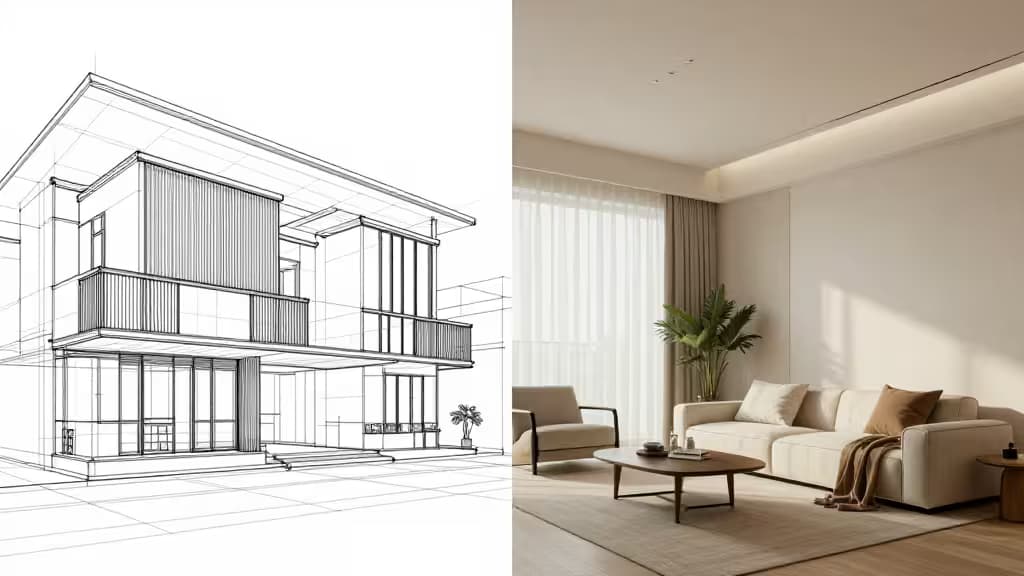
AI is no longer a novelty in architecture and design studios — it's a workflow multiplier. From early concept ideation to client presentations and virtual staging, generative tools are compressing what used to take days into hours. But the right tool depends entirely on where you are in the design lifecycle. A BIM-savvy architect, a concept-stage designer, and an interior stager each need something different.
This guide covers the best AI tools across the architect and designer workflow, ranked by the stage they serve best.
1. Archicad AI Visualizer — Best for BIM-Integrated Visualization
For practicing architects already working in Graphisoft's Archicad, the AI Visualizer is the most seamless entry point into generative AI. Unlike standalone image generators, it bridges BIM geometry and presentation-ready visuals without exporting files — your AI-generated images stay linked to live model geometry.1 That means no round-trips between tools, no broken references, and no version-control headaches.
You control materials and lighting through text prompts, and because the tool is bundled with Archicad, there's no separate subscription to manage. For architects who live in BIM, this is the tool that actually fits the way you already work.
2. Leonardo.ai — Best for Concept Ideation
When you need unconstrained visual exploration — before any model exists, before any client commitment — Leonardo.ai is where to start. Built on Stable Diffusion, it pairs the flexibility of open-source models with a polished web interface that includes a Canvas Editor and real-time generation.2
The standout feature for architects is custom model training: you can fine-tune the model on your own portfolio or aesthetic, so generated concepts reflect your studio's visual language rather than generic outputs. For rapid iteration at the schematic stage, nothing in this lineup matches its combination of speed and stylistic control.
3. Foyr Neo — Best for Interior Rendering
Foyr Neo fills the gap between concept sketches and production-grade visualization. This cloud-based platform produces 4K photorealistic renders with ray tracing and precise floor plans, all without the steep learning curve of traditional rendering engines like V-Ray or Corona.4
For interior designers and architects who need client-ready visuals fast, Foyr Neo's combination of exact space planning and professional 3D rendering removes the bottleneck of outsourcing or wrestling with complex render settings. You design, you render, you present — all in the browser.
4. Gepetto AI — Best for Virtual Staging and Renovation
Gepetto AI is purpose-built for the moment a design needs to sell. One-click virtual staging, room clearing, wall and floor renovation, and even video generation make it the fastest path from empty room to furnished listing.5
For architects working on renovation projects or real-estate-focused designers, Gepetto's ability to generate renovation visualizations and property presentation videos in minutes — not days — is a genuine competitive advantage. It's narrower in scope than the other tools here, but within its lane, it's unmatched.
How They Compare
| Tool | Best For | Integration | Output |
|---|
| Archicad AI Visualizer | BIM workflows | Native Archicad | Presentation images |
| Leonardo.ai | Concept ideation | Standalone web | Concept renders |
| Foyr Neo | Interior rendering | Cloud SaaS | 4K photoreal renders |
| Gepetto AI | Virtual staging | Standalone web | Staged photos & video |
The key decision is workflow stage. If you're generating visuals from a live BIM model, Archicad AI Visualizer is the only tool that keeps you in your native environment. If you're exploring concepts before a model exists, Leonardo.ai's custom training and real-time canvas give you the most creative latitude. Foyr Neo handles the production-rendering gap, and Gepetto closes the loop with staging and presentation.
Honorable Mentions
Adobe Firefly deserves a nod for designers already embedded in Creative Cloud. Its Generative Fill and Text-to-Vector features, trained on commercially safe data, make it a strong production-design companion — especially when Photoshop and Illustrator are already part of your daily workflow.3 We weren't able to include it as a formal pick in this guide, but it's worth evaluating if commercial licensing safety is a priority.
Tome is worth considering for the presentation stage — it generates narrative pitch decks and visual portfolios from a single prompt, which can streamline client presentations.6
Decor8 AI is another virtual staging option optimized for real estate agents, offering rapid furniture placement in vacant properties.7
The Bottom Line
No single AI tool covers the full architectural workflow — and that's fine. The studios getting the most from AI are stitching together two or three of these tools: Leonardo for concept, Archicad AI Visualizer for BIM-linked presentation, Foyr Neo for interior rendering, and Gepetto for staging. Together, they let a small studio punch well above its weight — the things actually worth buying.
Recomate may earn a commission when you purchase through links on this page. This does not influence our rankings or editorial assessments.