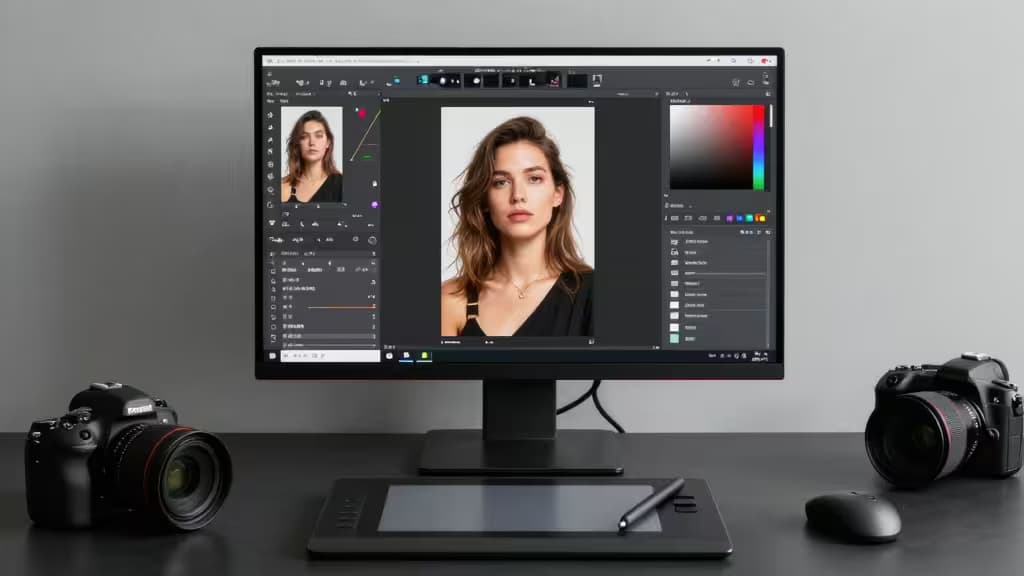
Professional photographers face mounting pressure to deliver faster without sacrificing quality. AI photo editors have matured from novelty gimmicks into production-grade tools — but not all are built for pro workflows. This guide covers the things actually worth buying for a working photographer's toolkit.
What Professional Photographers Need from AI
Before diving into the picks, it's worth defining what separates a professional-grade AI editor from a consumer app. Three criteria matter most:
- Pipeline integration. Pros live in Lightroom, Photoshop, and Capture One. An AI tool that requires exporting, uploading, re-downloading, and re-importing for every edit is a workflow killer. The best tools either integrate natively or offer APIs that slot into existing pipelines.
- Commercial safety. Working photographers sell their output. AI tools trained on scraped, unlicensed data carry legal risk for commercial work. Tools trained on licensed or public-domain content are safer for client deliverables.
- Batch capability. A wedding photographer editing 2,000 images or an e-commerce studio processing a full product catalog needs tools that handle volume — not just one-off creative experiments.
The Picks
1. Adobe Firefly — Top Pick
Adobe Firefly is the industry-standard AI tool for professional photographers, and for good reason. Its Generative Fill technology is integrated directly into Photoshop, letting you select a region, describe what you want, and have AI generate content that blends seamlessly with the surrounding image — all without leaving your existing Adobe workflow.1
What sets Firefly apart for professionals is its training data. Adobe trained Firefly on licensed Adobe Stock content, public-domain material, and other openly licensed sources, making its outputs commercially safe for client work — a critical distinction for photographers whose deliverables end up in ad campaigns, editorial spreads, or product packaging.1
Beyond Generative Fill, Firefly offers Text to Vector generation (useful for designers working alongside photographers), text effects, and ongoing expansion into video and 3D. For photographers already in the Creative Cloud ecosystem, Firefly is essentially a no-brainer addition — it works where you already work.
Verdict: If you're a professional photographer who already uses Photoshop, Firefly is the AI tool to beat. Its native integration and commercially safe training data make it the most defensible choice for client-facing work.
2. Photoroom — Best for Product & Commercial Photographers
Photoroom has carved out a niche as the go-to tool for product and commercial photographers who need to move fast. Its instant background removal is among the best in the industry, and its AI-generated studio backgrounds let you place a product into a professional-looking scene in seconds.2
For high-volume product shoots, Photoroom's batch editing capability is the real draw. Instead of manually cutting out backgrounds one at a time, you can process entire shoots in a fraction of the time — a meaningful advantage for e-commerce photographers facing tight turnaround deadlines.2
Photoroom is available as both a web app and a mobile app, making it flexible for photographers who shoot on location and need to deliver previews quickly. While it lacks the deep creative compositing tools of Firefly, it excels at what it does: turning raw product shots into polished, marketplace-ready images at speed.
Verdict: For product and commercial photographers who prioritize speed and volume, Photoroom is the clear choice. It won't replace Photoshop for creative work, but it dramatically reduces time spent on repetitive background and staging tasks.
3. Mokker.ai — Best for Product Photoshoot Simulation
Mokker.ai takes a different approach to AI product photography. Rather than simply removing or replacing backgrounds, it transforms a single product photo into a full professional photoshoot — complete with varied backgrounds, lighting adjustments, and environmental context.3
This is particularly valuable for photographers who need to present a product in multiple settings without booking a physical studio for each scenario. Upload one clean product shot, and Mokker generates a range of professional-grade images that look like they came from different shoots with different lighting setups.3
The tool is web-based and straightforward to use, making it accessible for photographers who don't need the complexity of a full editing suite but do need rapid, varied product imagery.
Verdict: Mokker.ai is ideal for photographers who need to simulate a full product photoshoot from a single image. It's a specialized tool, but within its niche, it's remarkably effective.
4. Claid.ai — Best for E-Commerce at Scale
Claid.ai is built for the high-volume e-commerce use case that other tools struggle to handle. Its core strengths are image upscaling, catalog standardization, and a bulk API that lets large e-commerce operations process entire product catalogs programmatically.4
The AI fashion models feature is particularly notable — it allows clothing retailers to generate model-worn product shots without physical photoshoots, a significant cost saving for fashion e-commerce. Combined with automated background removal, color correction, and resolution enhancement, Claid.ai covers the full pipeline of e-commerce image optimization.4
Pricing starts with a free trial, with paid plans beginning at $19/month, making it accessible for smaller operations while scaling up to enterprise-level API usage.4
Verdict: If you're processing hundreds or thousands of product images — especially in fashion e-commerce — Claid.ai's API-first approach and AI fashion models make it the most efficient option for catalog-scale work.
5. Flair.ai — AI-Driven Product Staging
Flair.ai rounds out the list with its focus on AI-driven product staging for commercial photography. Like Mokker, it specializes in placing products into composed scenes, but it offers a complementary approach with flexible scene composition tools that give photographers more control over the final look.
For commercial photographers who need to present products in lifestyle contexts — a coffee mug on a kitchen counter, a watch on a marble surface — Flair.ai provides a faster alternative to physical prop staging and set construction.
Verdict: Flair.ai is a solid choice for photographers who need flexible, AI-driven product staging. It pairs well with the other tools on this list rather than replacing any single one.
How They Compare
| Tool | Best For | Key Strength | Workflow Fit |
|---|
| Adobe Firefly | Creative compositing | Generative Fill in Photoshop | Native Adobe integration |
| Photoroom | Product photography | Instant background removal | Web + mobile app |
| Mokker.ai | Photoshoot simulation | Single-photo-to-shoot | Web-based |
| Claid.ai | E-commerce at scale | Bulk API + AI fashion models |
Firefly wins on creative flexibility and pro-tool integration — it's the only tool here that lives inside a full professional editing suite. Photoroom and Mokker win on speed for product work, each taking a slightly different angle on the same problem. Claid.ai stands alone for bulk and API-driven workflows that no other tool on this list handles as well.
How We Evaluated
We assessed each tool against the criteria that matter to working photographers: integration with existing professional pipelines, commercial safety of AI outputs, batch processing capability, and the quality of results for the tool's intended use case. Independent roundups from PCMag5 and Tom's Guide6 were consulted as supplementary comparison sources.
Disclosure: We may earn a commission when you sign up through links in this guide. This doesn't influence our rankings — we recommend tools based on their merits for professional photographers.