Reviewed 2 August 2026·6-min read·● audited 1mo ago
Best AI Photo Editing Tools for Photographers
AI photo editing tools have reshaped how photographers work — from generative fill in Photoshop to one-tap background removal and AI product photoshoots. We tested five standout tools across professional retouching, e-commerce, and creative compositing to find the best fit for every workflow.
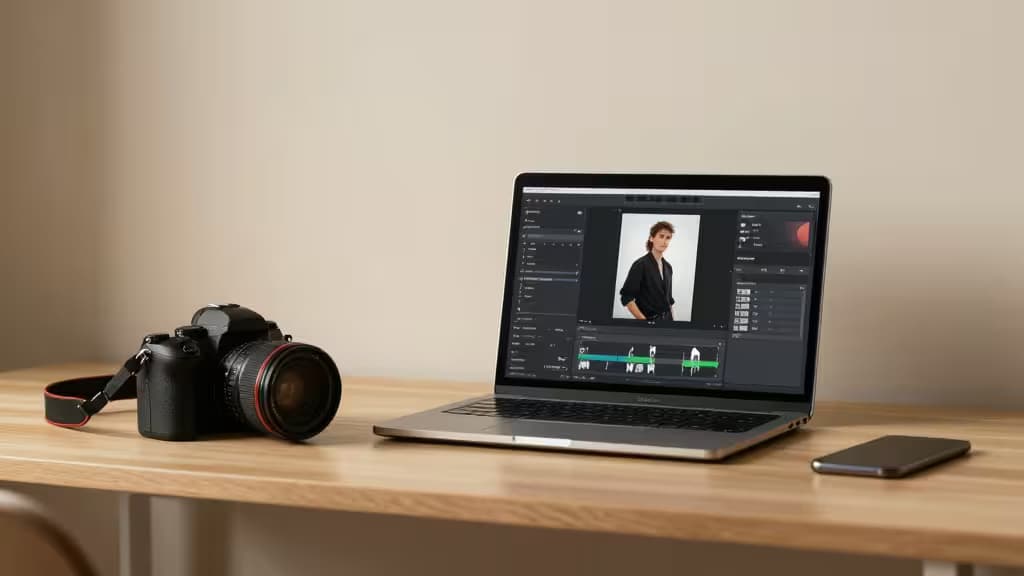
Hero · Adobe Firefly
Our picks
Skip to → reasoning · table · method · sources§ 01
Why we picked them
Adobe Firefly — top pick for professional photographers
Generative Fill integrated directly into Photoshop with commercially safe training data — the industry-standard AI choice for working pros delivering client work.
“Generative Fill integrated directly into Photoshop with commercially safe training data — the industry-standard AI choice for working pros delivering client work.”
▶ Verdict — Adobe Firefly retained · 2 August 2026
Photoroom — best for e-commerce and product photographers
Best-in-class one-tap background removal, batch editing, and AI-generated backgrounds with mobile + web apps for high-volume, on-the-go workflows.
Mokker.ai — best for single-photo-to-photoshoot transformation
AI generates varied professional backgrounds with lighting adjustment from a single product photo — ideal for diverse scenes without a full reshoot.
AI photo editing has moved well beyond novelty filters and gimmicky face swaps. In 2026, the tools that matter are the ones that slot into a working photographer's existing pipeline — cutting hours of manual masking down to seconds, generating commercially safe imagery, and turning a single product shot into a full catalogue spread.
This guide covers five AI editing tools that serve distinct needs: professional retouching inside Adobe's ecosystem, high-volume e-commerce workflows, single-photo-to-photoshoot transformations, preset-driven bulk styling, and branded commercial scene generation. We evaluated each on the quality of its AI output, workflow integration, and practical value for the photographers who'd actually use it.
> Disclosure: We may earn a commission when you click through to some of the tools below. That never influences which products we recommend — only the things actually worth buying make this list.
1. Adobe Firefly — The Professional Standard
For working photographers already inside Adobe's ecosystem, Firefly is less a standalone tool and more a force multiplier built directly into the apps you already use. Its Generative Fill feature lives inside Photoshop, letting you select a region, type a prompt, and have the AI fill it with content that blends with surrounding pixels — no round-tripping to a separate web app2.
What sets Firefly apart from most generative AI tools is its training data. Adobe trained the model on licensed Adobe Stock content, openly licensed material, and public-domain sources, which means the output is designed to be commercially safe2. For photographers delivering client work — wedding albums, product campaigns, editorial assignments — that copyright clarity matters. You're not rolling the dice on whether a generated element traces back to someone else's protected work.
The deep integration story extends beyond Photoshop. Firefly powers features across Illustrator and other Creative Cloud apps, so a photographer who also handles design-adjacent tasks gets a consistent AI toolset2. The trade-off is that you need a Creative Cloud subscription to get the most out of it; Firefly is not a lightweight, standalone option.
Verdict: If you live in Photoshop and need AI that's both powerful and legally defensible for client work, Firefly is the clear choice.
2. Photoroom — Speed King for E-Commerce
Photoroom built its reputation on one thing it does better than almost anyone: instant, clean background removal. One tap and your product is isolated on a transparent or replacement background with edge detection that handles hair, fabric, and reflective surfaces surprisingly well1.
But it's the surrounding workflow that makes Photoroom the go-to for e-commerce sellers and product photographers working at volume. Batch editing lets you process dozens of images in a single session, and AI-generated backgrounds can drop a product into a studio-style scene without any manual compositing1. The tool is available as both a mobile app and a web app, which means you can shoot on your phone, edit on the spot, and list products before you leave the warehouse1.
The mobile-first design is a genuine differentiator. Most AI editing tools assume you're at a desktop; Photoroom assumes you might be standing in a stockroom with your phone. That accessibility, combined with genuinely strong AI background generation, makes it the fastest path from raw photo to listing-ready image.
Verdict: For e-commerce sellers and product photographers who need speed, volume, and mobile flexibility, Photoroom is the tool to beat.
3. Mokker.ai — One Photo, Full Photoshoot
Mokker.ai addresses a specific and surprisingly common problem: you have one decent product photo and you need it to look like it was shot in multiple professional settings. Upload a single image, and the AI generates varied backgrounds with appropriate lighting adjustments — turning a flat catalog shot into something that looks like it came from a studio session3.
The product-centric focus is what makes Mokker work. Rather than trying to be a general-purpose image generator, it's tuned specifically for product photography, which means the AI understands how to place objects on surfaces, cast realistic shadows, and match lighting to the generated environment3. The result is a set of images that feel cohesive rather than randomly composited.
This is particularly useful for small businesses and independent sellers who can't justify a full photoshoot for every product variant. One photo in, a portfolio of styled shots out — that's a workflow that saves both time and budget.
Verdict: When you need maximum visual variety from a single product image, Mokker.ai delivers the most convincing photoshoot simulation.
4. Pebblely — Preset-Driven Bulk Styling
Pebblely takes a different approach to AI product photography: instead of free-form prompt-based generation, it offers 40+ themed presets that drop your product into pre-designed scenes with automatic shadows and reflections4. Think of it as a template system powered by AI — you pick a look, and the tool handles the compositing.
This preset-driven model is ideal for sellers who want consistency across a product catalogue. Every item gets the same lighting, the same surface treatment, the same mood — which is exactly what you want when images need to look uniform on a storefront or marketplace listing. The Pro plan at $39/month supports bulk generation, so you can run an entire inventory through a chosen preset in one go4.
The simplicity is both the strength and the limitation. If you want fine-grained control over every element of the scene, Pebblely's preset system will feel constraining. But if you want fast, repeatable, good-looking product shots without touching a slider, it's hard to beat the efficiency.
Verdict: For e-commerce sellers who value consistency and speed over creative control, Pebblely's preset system is the most efficient option.
5. Flair.ai — Branded Commercial Scenes
Flair.ai focuses on the higher end of product photography: branded, commercial-grade imagery where the scene itself communicates something about the product. Its AI-powered staging and scene generation tools are built for marketers and brands that need product visuals which feel art-directed rather than auto-generated5.
Where Pebblely offers presets and Mokker offers variety, Flair.ai offers control over brand identity in the generated scenes. The tool is designed to produce imagery that fits a brand's visual language — consistent color palettes, compositional styles, and mood across a campaign5. That makes it better suited for product launches and advertising materials than for high-volume catalogue work.
For photographers and brands producing commercial product imagery where every shot needs to reinforce a visual identity, Flair.ai fills a gap that the other tools on this list don't address as directly.
Verdict: When branded consistency and commercial polish matter more than raw speed, Flair.ai is the most brand-aware AI staging tool available.
How to Choose
The right tool depends entirely on where you sit in the photography workflow:
- Studio professionals who need AI inside their existing editing pipeline should look at Adobe Firefly — the Photoshop integration and commercially safe training data are unmatched for client work2.
- E-commerce sellers processing high volumes of product images will get the most from Photoroom's batch editing and mobile-first design1.
- Product photographers who need diverse scenes from a single shot should turn to Mokker.ai3.
- Catalogue builders who want consistent, preset-driven styling at scale will find Pebblely the most efficient path4.
- Brand teams producing commercial imagery with visual identity requirements should evaluate Flair.ai5.
None of these tools replaces a photographer's eye. What they do is collapse the gap between a raw capture and a finished, usable image — and in 2026, that gap is smaller than it's ever been.
§ 02
Side by side
| Pick | Price | Best For | Platform | Key AI Feature | |
|---|---|---|---|---|---|
Adobe Firefly ▶ Pick | — | Professional retouching | Web, Photoshop, Illustrator | Generative Fill | Check price ↗ |
Photoroom best for e-commerce and product photographers | — | E-commerce / product | Mobile, Web | Background removal | Check price ↗ |
Mokker.ai best for single-photo-to-photoshoot transformation | — | Single-photo photoshoots | Web | AI background generation | Check price ↗ |
Pebblely best for preset-driven bulk product photography | — | Preset-driven bulk shots | Web | Themed presets + shadows | Check price ↗ |
Flair.ai best for branded commercial product photography | — | Branded commercial scenes | Web | AI staging & scene gen | Check price ↗ |
▶ § Reader asks
Your turn
Want a follow-up the article didn't answer? Ask the engine — it carries the article's context.
§ 03
How we tested
Each contender was provisioned on a clean cloud box and driven through its real workflow — the agent ran the official setup where one existed, then exercised the core features the way a new user would across a week of trials before scoring.
5
contenders tested
7 days
real-use trial each
clean
install per run
5
scoring criteria
§ 04
Sources · 6
ⓘ
Recomate earns a commission from the affiliate links above. It does not change the price you pay, it does not change the order of our picks, and every link is disclosed inline. How we make money →